Modular tray design
Your drawer.
Your kind of order.
Create custom trays and matching baseplates on a 42 mm grid. Shape the layout, fit your tools, and make it yours.
Coming to the App Store
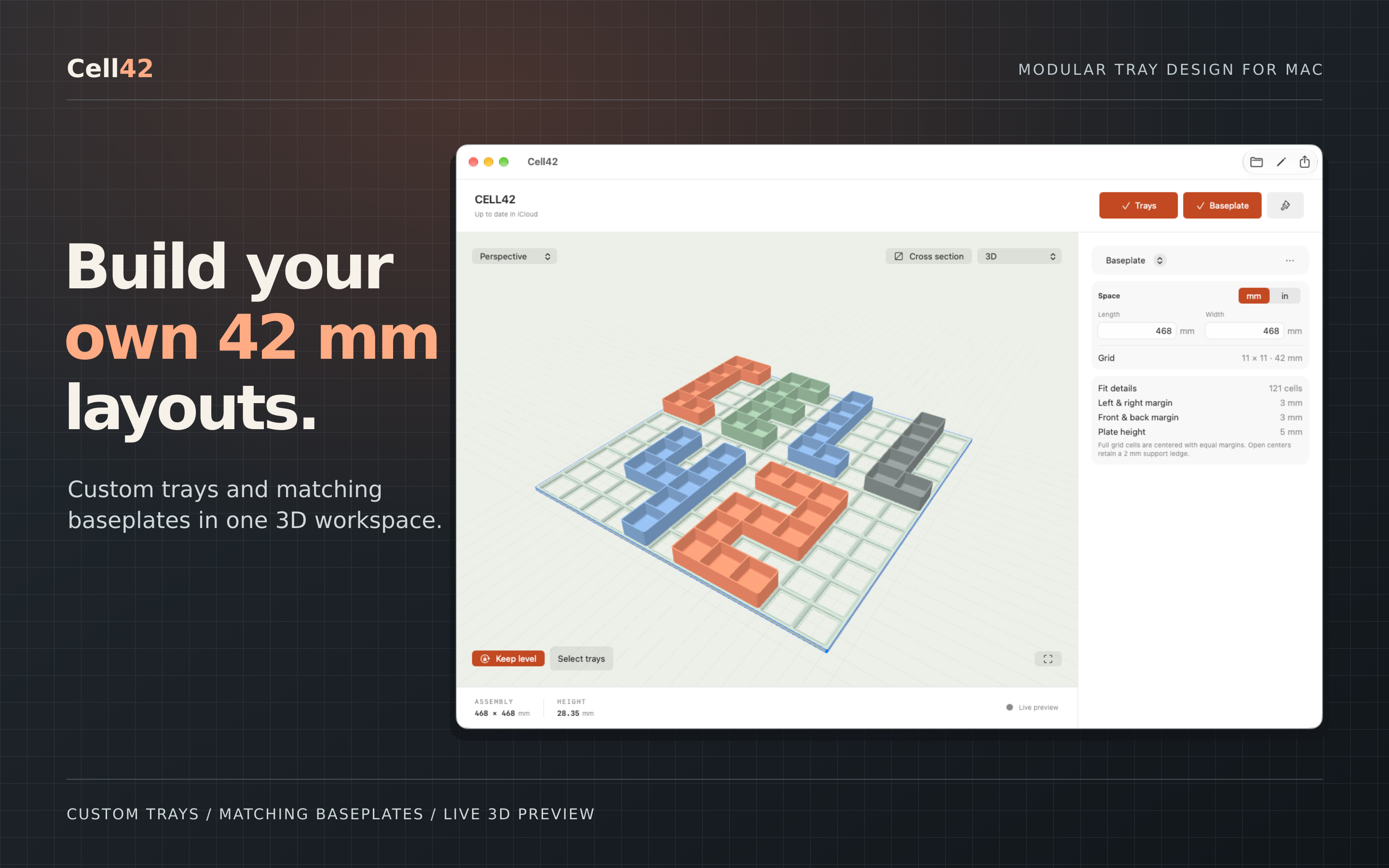
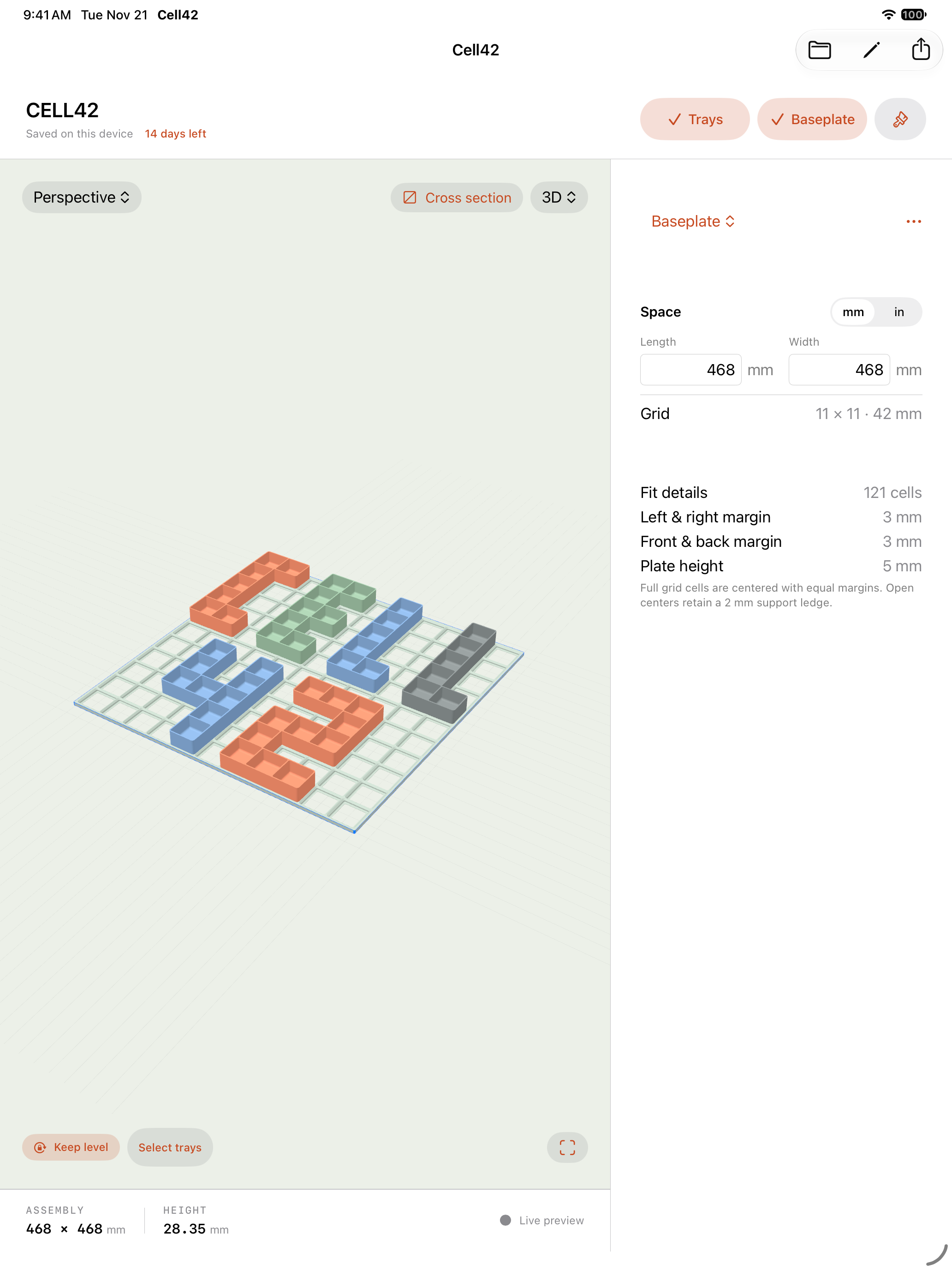
One workspace for your trays, baseplate, and live 3D preview.
Start with your space
Paint trays
cell by cell.
Draw a footprint on the grid, then add dividers to organize what goes inside. Adjust wall height and thickness while you see the result in 3D.
- Custom drawer layouts
- Adjustable tray dividers
- Live 3D editing
- 3D mouse support on Mac
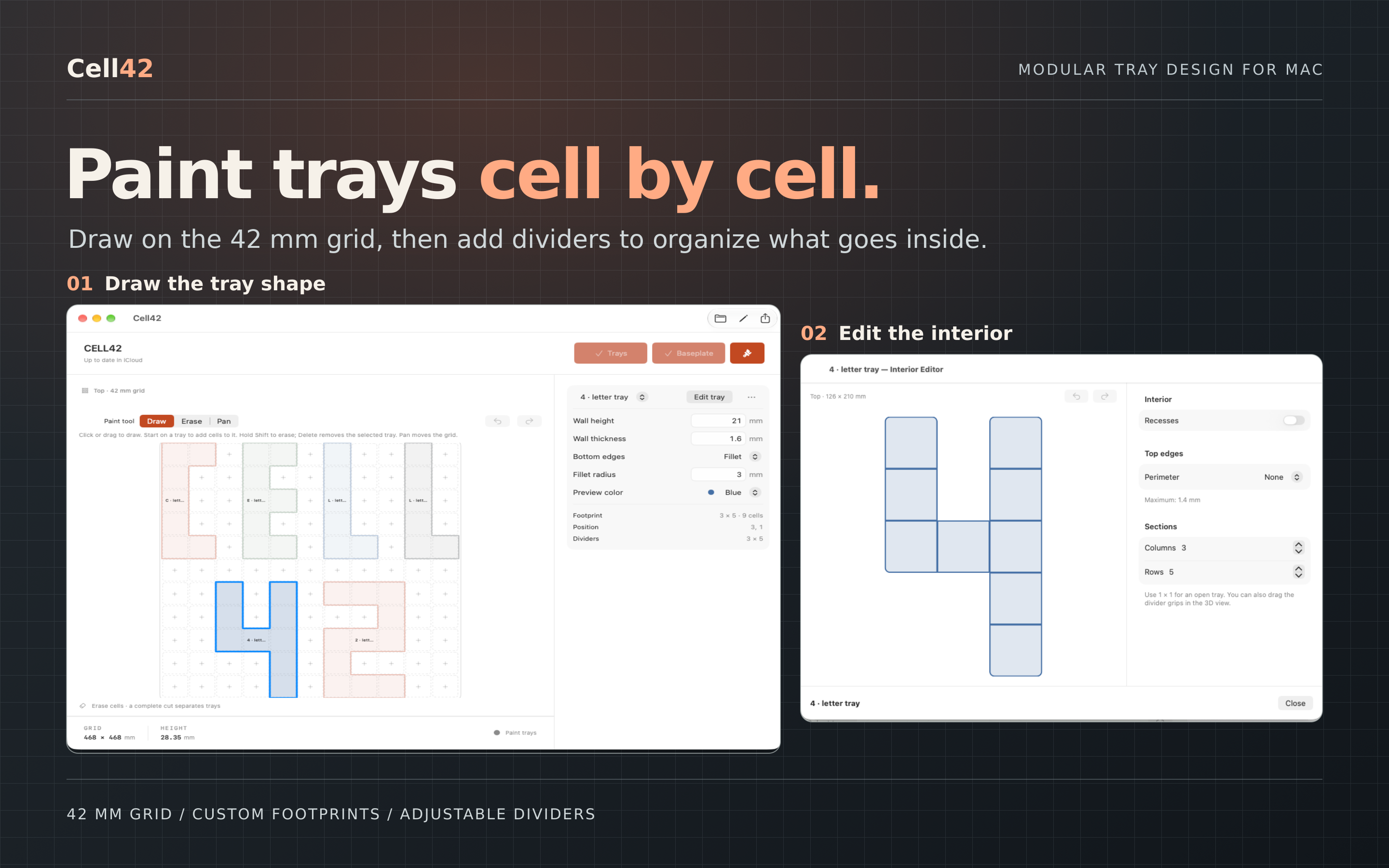
Select any image to see it full size.
Fit what you actually own
From paper trace
to custom pocket.
Turn a hand-drawn outline into a custom tray sized for your tool. Print a Letter or A4 calibration sheet, trace the object, remove it, and photograph the outline.
Clean up the measured shape, save it as a reusable template, and add one or two finger scoops where you need them.
Physical fit depends on print scale, tracing, the photograph, and your printer. Make a test print before committing to a larger layout.
Get the calibration sheets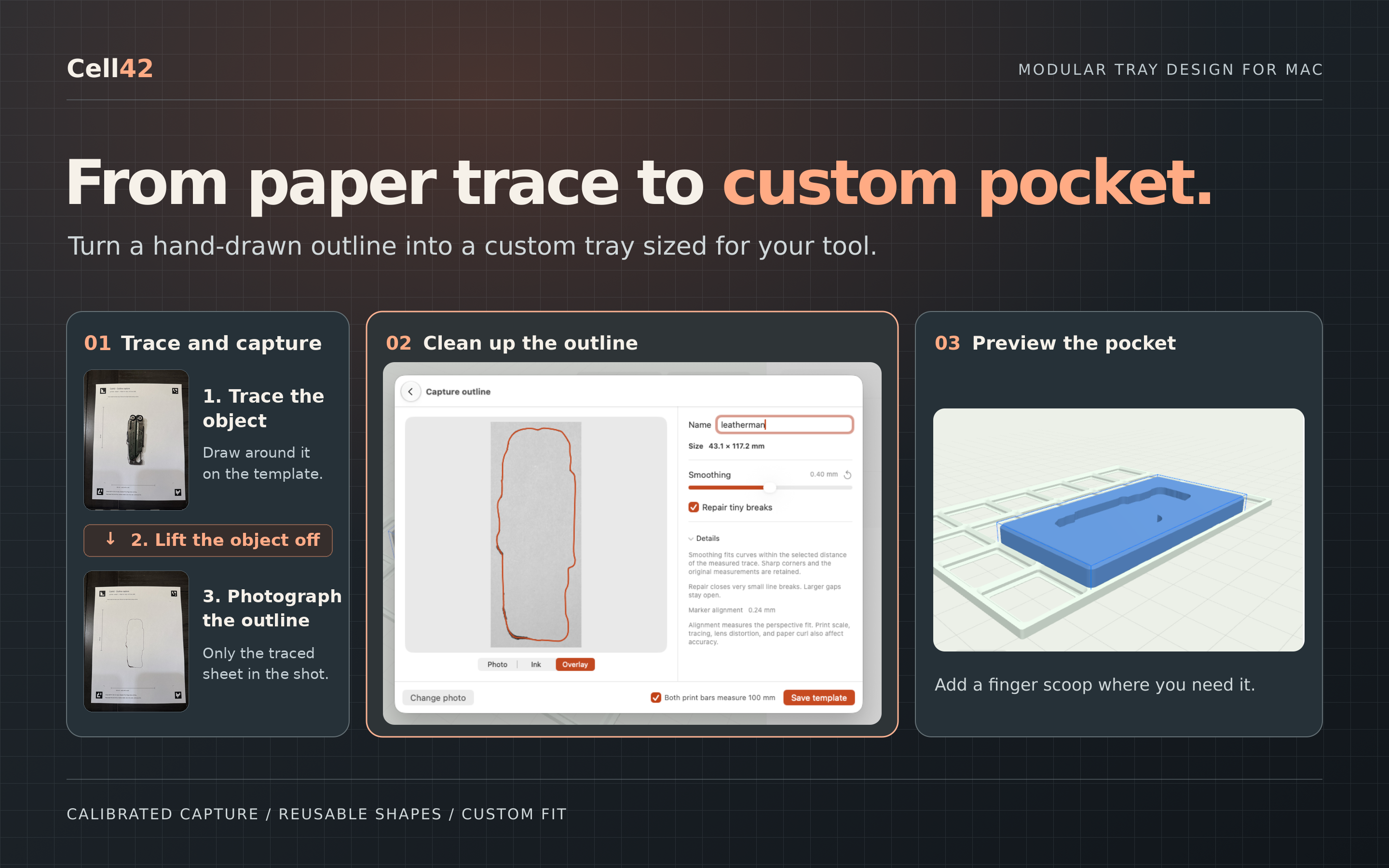
Ready for the next step
Export to print.
Or keep editing.
Send trays and baseplates to your slicer as 3MF or STL. Export supported geometry as STEP to keep working in CAD.
Choose a single tray, the baseplate, or the full assembly. Export measured outlines as SVG, too.
STEP export is experimental. Supported shapes and any limits are shown in the app.
Export help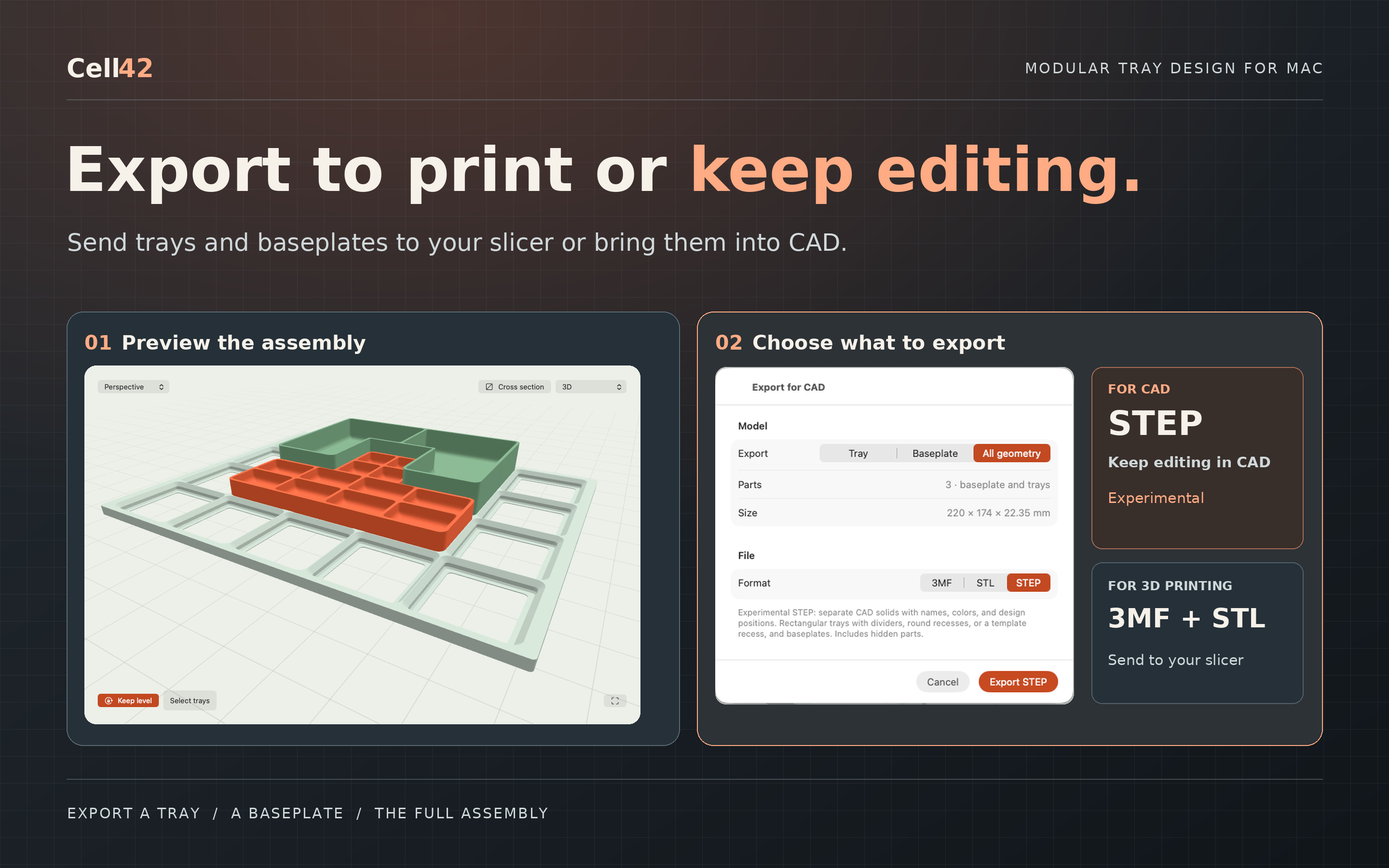
At your desk. In your hand.
Your workspace,
across your devices.
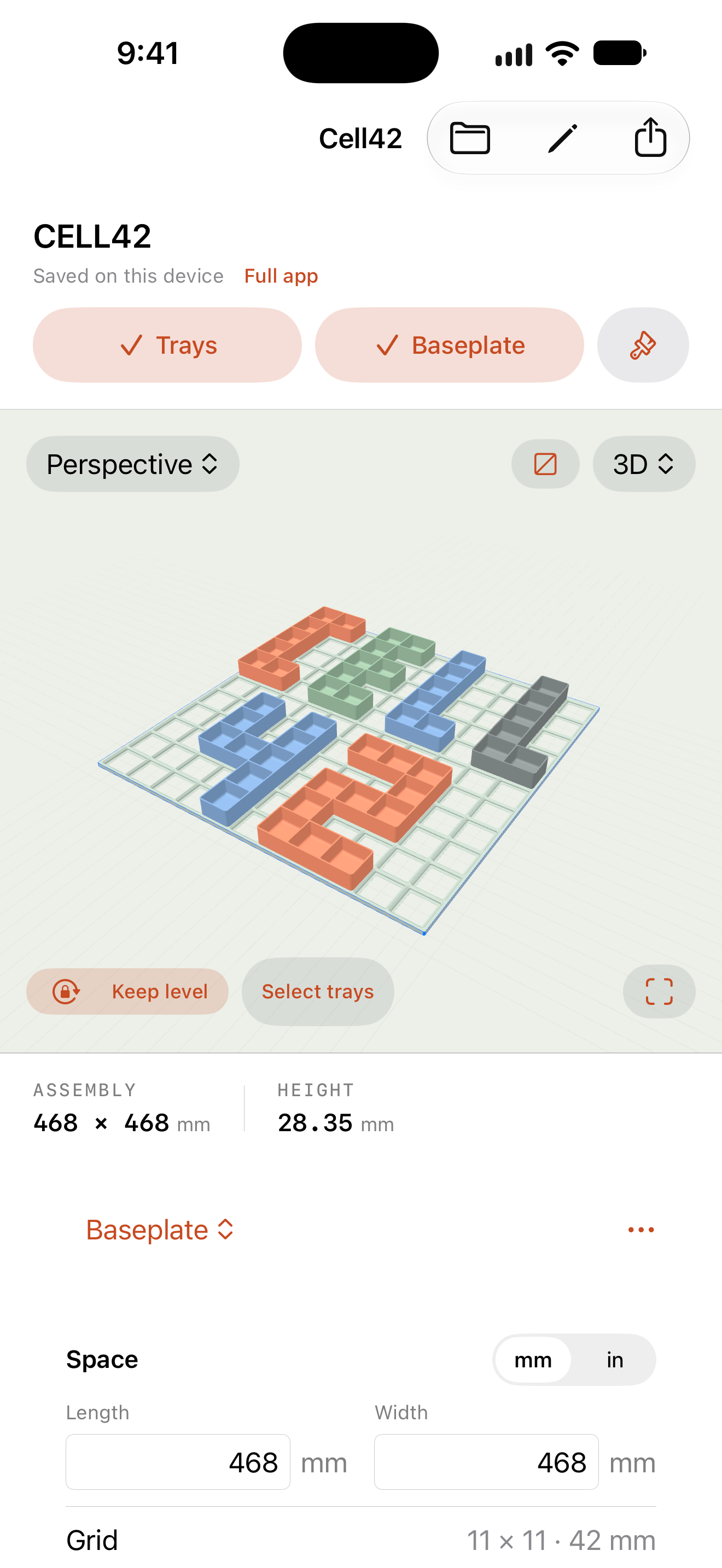
Designs and shape templates sync through your private iCloud storage. Start on your iPhone, make room on your iPad, and refine on your Mac.
Made by Sunnyside Craftsman
Have a question?
Get help with layouts, calibrated capture, syncing, and exports.